
Image Upscaler
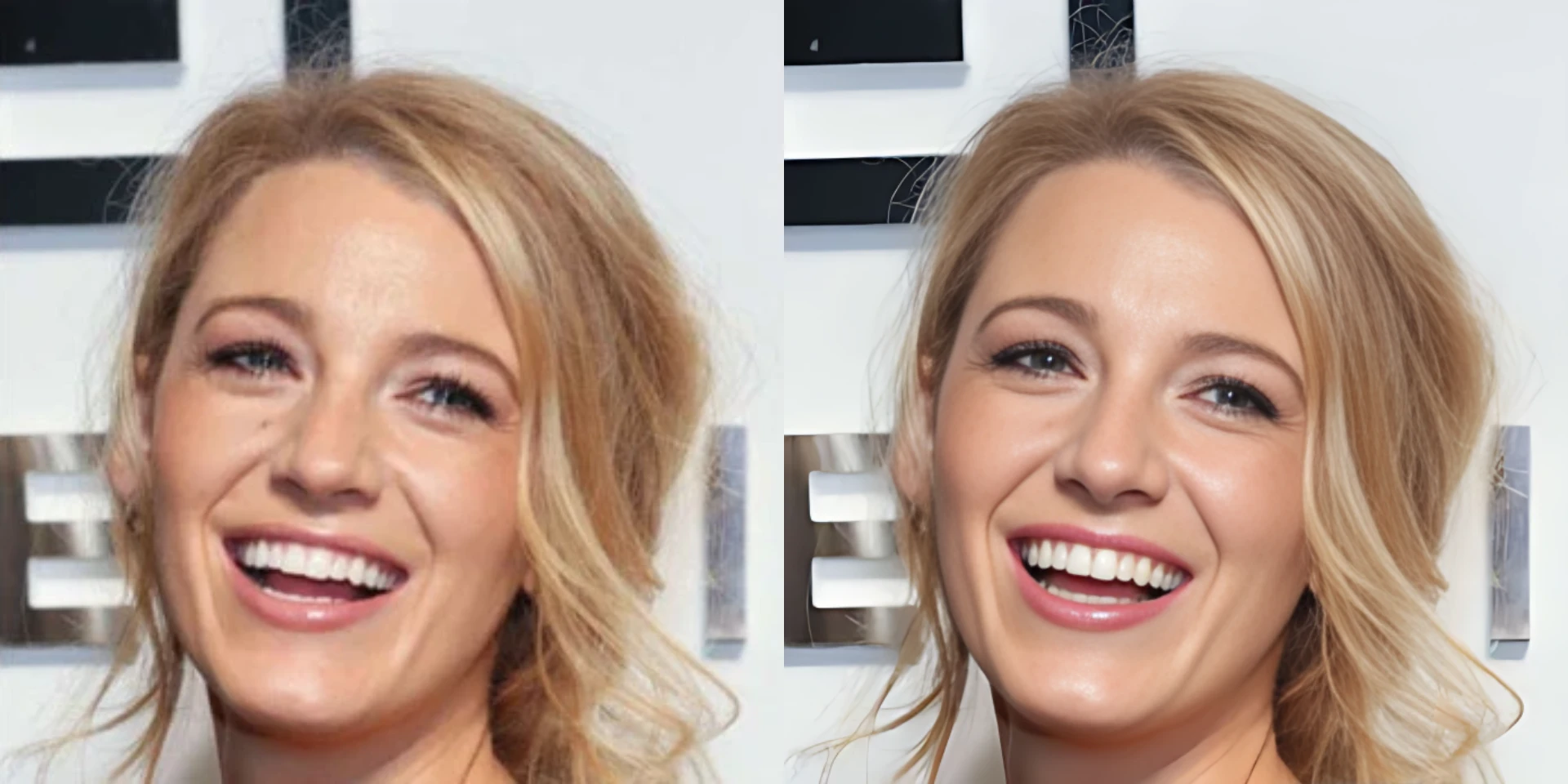
Enlarge low-resolution images while recovering sharper edges and texture.
Use Image UpscalerHow to use Image Upscaler
Go from source media to a finished result in three clear steps.
Upload your Image
Upload a JPG, PNG, or WebP image that needs more resolution or clearer visible detail.
Set the result
Check the source preview and start upscaling. The focused workflow applies the enhancement automatically.
Process and download
Run the tool, review the finished media, and download it when it is ready.
Why use Image Upscaler?
Prepare small or compressed images for larger displays, product pages, presentations, and creative reuse.
Higher-resolution images
Enlarge low-resolution source images into more useful output dimensions.
Cleaner edges and texture
AI enhances visible structure and texture instead of only stretching the original pixels.
Ready for larger layouts
Download an enhanced image for product pages, presentations, social posts, or further editing.
Image Upscaler FAQ
Answers to common questions before you upload and process your media.
Related AI tools
Continue your workflow with other focused Image tools.

Keep creating
Move between tools and generation
Use a focused tool for a specific task, or keep generating when you need more models, modes, and templates.
Ready to use Image Upscaler?
Upload your Image, review the focused settings, and create the finished result now.