
Bild-Upscaler
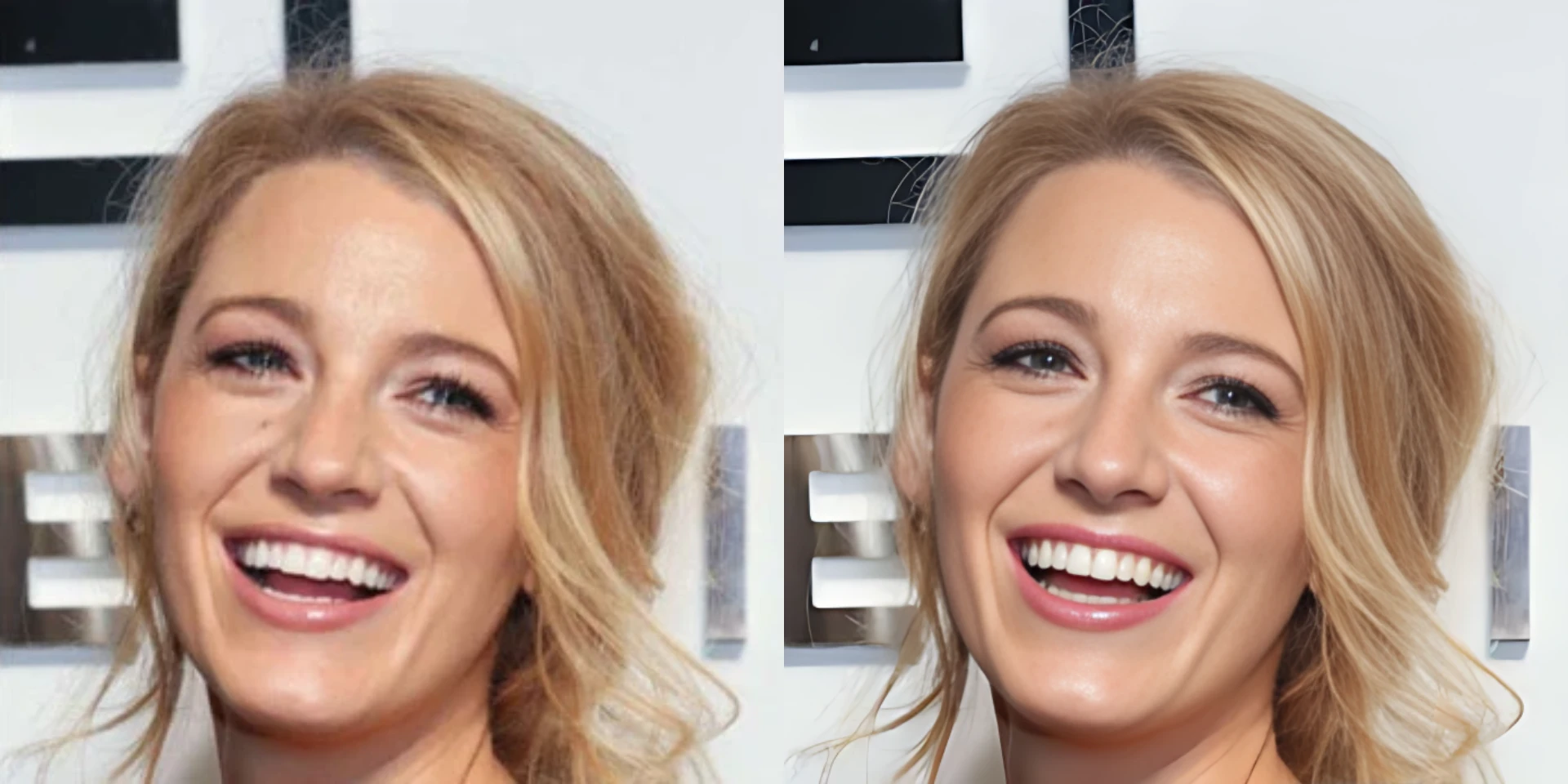
Vergrößert Bilder mit niedriger Auflösung und stellt schärfere Kanten und Texturen wieder her.
Use Bild-UpscalerHow to use Bild-Upscaler
Go from source media to a finished result in three clear steps.
Upload your Bild
Lade ein JPG-, PNG- oder WebP-Bild hoch, das mehr Auflösung oder klarere sichtbare Details benötigt.
Set the result
Prüfe die Vorschau des Originals und starte die Hochskalierung. Der fokussierte Arbeitsablauf wendet die Verbesserung automatisch an.
Process and download
Run the tool, review the finished media, and download it when it is ready.
Why use Bild-Upscaler?
Bereite kleine oder komprimierte Bilder für größere Displays, Produktseiten, Präsentationen und kreative Weiterverwendung vor.
Bilder mit höherer Auflösung
Vergrößere niedrig aufgelöste Ausgangsbilder auf nützlichere Ausgabemaße.
Schärfere Kanten und Textur
Die KI verbessert sichtbare Struktur und Textur, statt nur die ursprünglichen Pixel zu strecken.
Bereit für größere Layouts
Lade ein verbessertes Bild für Produktseiten, Präsentationen, Social Posts oder weitere Bearbeitung herunter.
Bild-Upscaler FAQ
Answers to common questions before you upload and process your media.
Related AI tools
Continue your workflow with other focused Bild tools.

Keep creating
Move between tools and generation
Use a focused tool for a specific task, or keep generating when you need more models, modes, and templates.
Ready to use Bild-Upscaler?
Upload your Bild, review the focused settings, and create the finished result now.